
The short answer
It is a photo-to-video format: two input subjects are placed into a preset seaside sequence. The AI remake, the original “Raindance” song and a manually edited social post are different things, even when they share a similar visual style.
What makes the seaside duet recognizable?
The appeal comes from a small story that is easy to follow: one subject opens the scene, a partner appears, and the video moves between wide seaside views and expressive close-ups. The change of cast is the reveal. A familiar photo becomes a moving subject in a setting that would otherwise require filming.
The words “rain dance” are broader than this particular edit. They can also describe unrelated dancing-in-the-rain videos, music or other traditions. Here we mean the AI seaside duet associated with the Raindance music-video look, not every clip with rain or a beach in it.
The song and the AI recreation are separate
The music reference is “Raindance” by Dave featuring Tems. Universal Music’s official announcement identifies the artists and describes the official video as filmed in Lagos. That is the source work; an AI video made from user photos is a separate recreation.
Calling an edit “AI Rain Dance” does not mean the original recording is an AI-generated song. It also does not establish that an AI service is affiliated with the artists. Rain Dance Trend is an independent creation tool. We do not attribute a single first creator or precise start date to all the AI versions.
For the source work, see the official release linked below. We use that source for the song and video context rather than treating the claims on another AI tool’s landing page as evidence of origin.
Why two photos are used
Each input represents one role. Subject A supplies the opening character, and Subject B supplies the partner. The system then tries to carry those identities through different framings and movements. Two separate photos make that intended pairing clearer than a single group image.
A role remains the same even when its subject moves across the screen or the camera changes angle. That distinction is useful both when uploading and when reviewing the output: a subject appearing on the other side is not necessarily a swap, but a changed face or hairstyle may be an identity error.
AI generation, templates and manual edits
A general video-editing template typically arranges material you already have. A generative workflow synthesizes new frames using photos and other instructions. Some creators combine both: generate a clip first, then place it into a social edit with a photo reveal, captions or music.
Different tools can therefore produce very different results under the same trend name. They may vary in duration, framing, number of subjects and audio handling. A familiar-looking example does not reveal the provider’s private model settings, and it does not prove that another tool uses an identical process.
| Approach | What you provide | What to expect |
|---|---|---|
| Preset two-photo generator | Two subject photos | A fixed scene and role structure |
| General AI video editor | Your own reference and instructions | More setup and variable limits |
| Video-editing template | Existing clips or photos | An arrangement of supplied media |
What our Rain Dance version creates
Our generator is designed for a 28-second, landscape seaside duet from two photos. The currently listed outputs are 480P, 720P and enhanced 2K. The 720P file is resized from 768P; the 2K file is upscaled from 768P. These are delivery choices, not three different promises of identity accuracy.
The homepage examples are individual generated results. Example A is a 480P widescreen clip made from ordinary life-style photos. Example B is an earlier 768P, 4:3 clip made from portrait inputs. B illustrates the appearance of a tested result; it is not a 2K example or a separate 768P purchase tier.
The form uses a preset sequence and does not ask you to write a prompt. For practical upload and download instructions, use the complete tutorial. For choosing among several possible photos, use the separate photo guide.
Why a convincing opening is not enough
AI has to reinterpret the subject as the pose, scale and camera angle change. A face can look plausible in a close-up while a distant partner in a wide shot remains wrong. Hair, clothing and animal markings can drift between shots even when motion looks smooth.
In our testing, some outputs failed later in the sequence or in the final shared shot. We removed those examples from the page. The retained A/B examples were reviewed and selected, but they still should not be treated as proof that every future pair of inputs will work equally well.
Inspect the beginning, each transition and the end. Resolution and file size tell you about the export, not whether the intended subjects survived all those changes. A completed job is a playable output, not a guarantee of a perfect likeness.
Compare the photos with the complete result

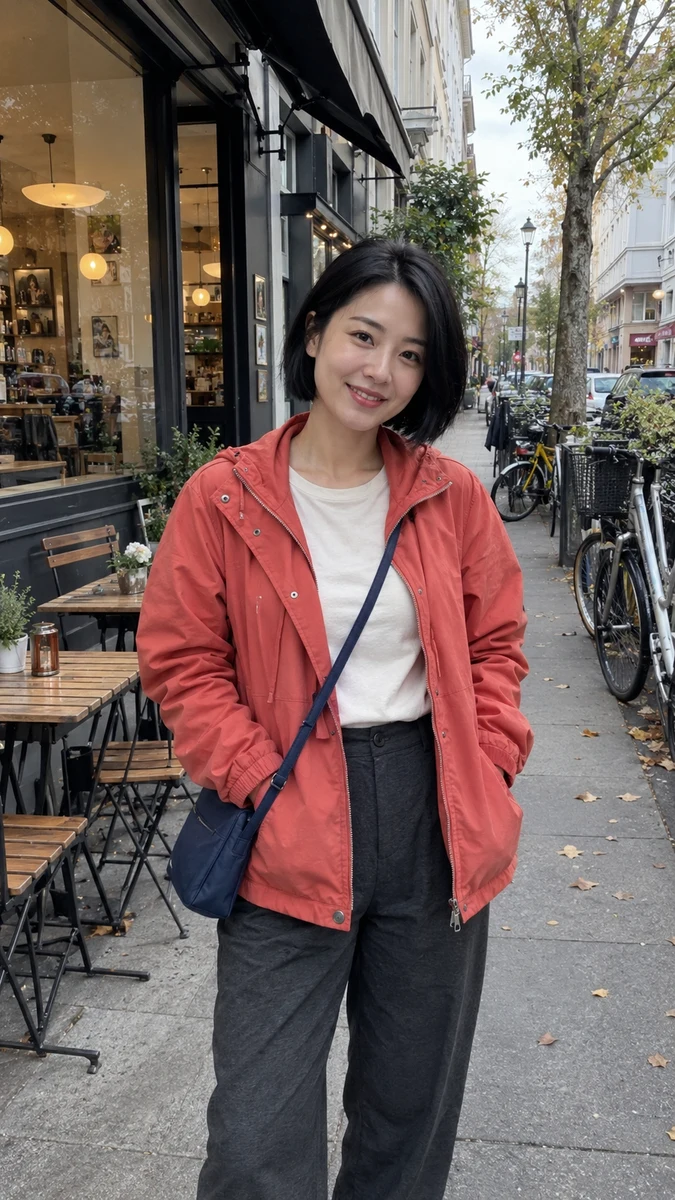
Our own generated Example A shows the two-photo interpretation of the format. The inputs depict fictional adults. Its appearance and timing describe this example, not every video called “Rain Dance” online.
Questions about rain dance ai trend
Is Rain Dance AI the same as the original music video?
No. The original music video is the source work associated with Dave and Tems. An AI remake uses generated imagery to place different subjects into a related visual format.
Does the trend require actual rain?
Not in the seaside duet discussed here. The recognizable elements are the cast change and scene sequence; the name alone does not specify weather in every version.
Is there one official app for the trend?
The format can be attempted with different generative tools and editing workflows. Rain Dance Trend is an independent tool, not an official artist app.
Does a more expensive quality make the likeness reliable?
No. Higher-resolution delivery and subject consistency are separate properties. Review all scenes before deciding whether the result is usable.
Sources
Based on our own two-photo workflow tests and reviewed examples. Results vary by input and generation.
Ready to choose your cast?
Start with the two photos you want to use. Review the quality and credit cost before submitting.
Open the Rain Dance generator ↗Compare video qualities and pricing